openwrt
<
Setup openwrt
I used this gist:
https://gist.github.com/subrezon/b9aa2014343f934fbf69e579ecfc8da8
Resize disk:
(dont forget to increase the disk size in os):
wget -U "" -O expand-root.sh "https://openwrt.org/_export/code/docs/guide-user/advanced/expand_root?codeblock=0"
. ./expand-root.sh
Reboots acouple of times.
setup netbird (on openwrt)
opkg update
opkg install wiregard-tools
curl -fsSL https://pkgs.netbird.io/install.sh | sh
reverting to slower relay server.
Connect to openwrt
Autostart:
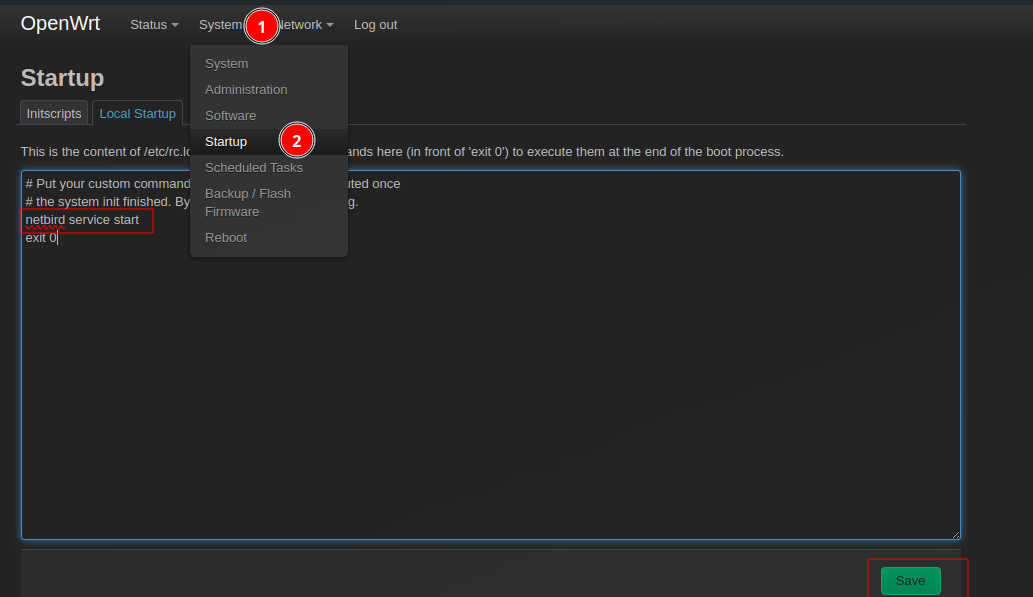
Now you can proceed with the commands from the Netbird UI to add openwrt as a peer.
Fix connection being relayed
Relay in our case is very slow. Our Netbird instance is on a small vm which cant handle all the traffic.
Our kubernetes goals can only be achieved with a fast peer to peer connection with little delay.
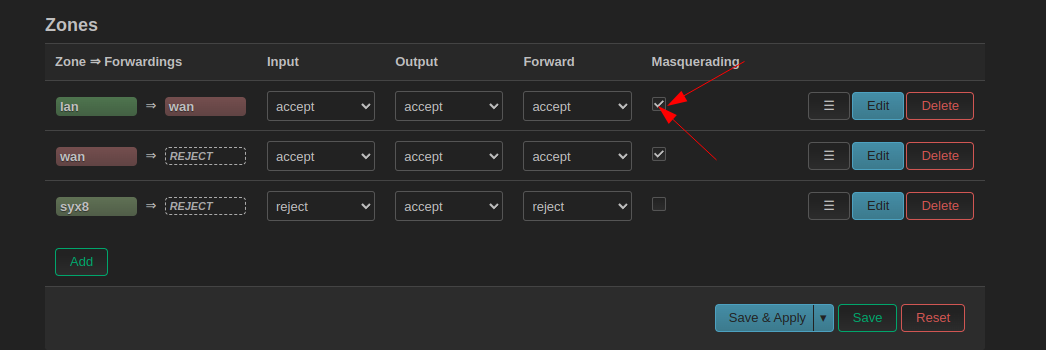 (on both ends of course)
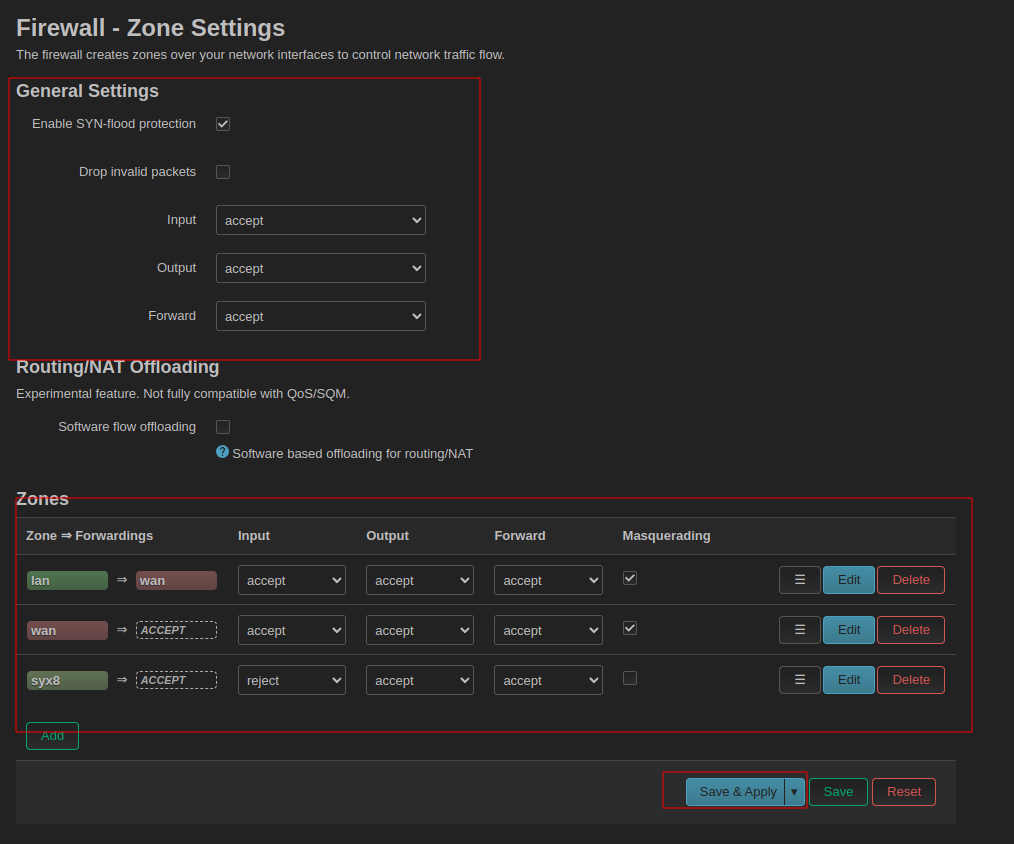
Hardening
I want no vpn peers to be able to access my home networks or other networks besides the 192.168.80.0/24 net:
Or it only works after rebooting the openwrt
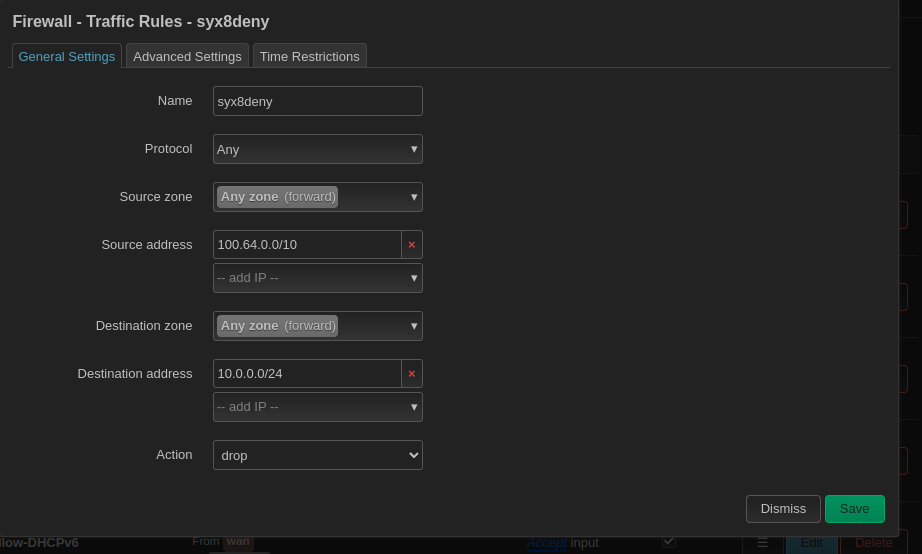
I found this method to be the easiest although i dont know how efficient this is.
This source range is the entire Cgnat block.
Wireguard interfaces get ips from this block. By blocking this, wireguard cant go to another interface.
100.64.0.0/10
Wildcard Dns Record
Just like any DNSMASQ you can create wildcard records by editing /etc/dnsmasq.conf
address=/.docker.phonkd.net/10.0.0.130
and running:
service dnsmasq restart